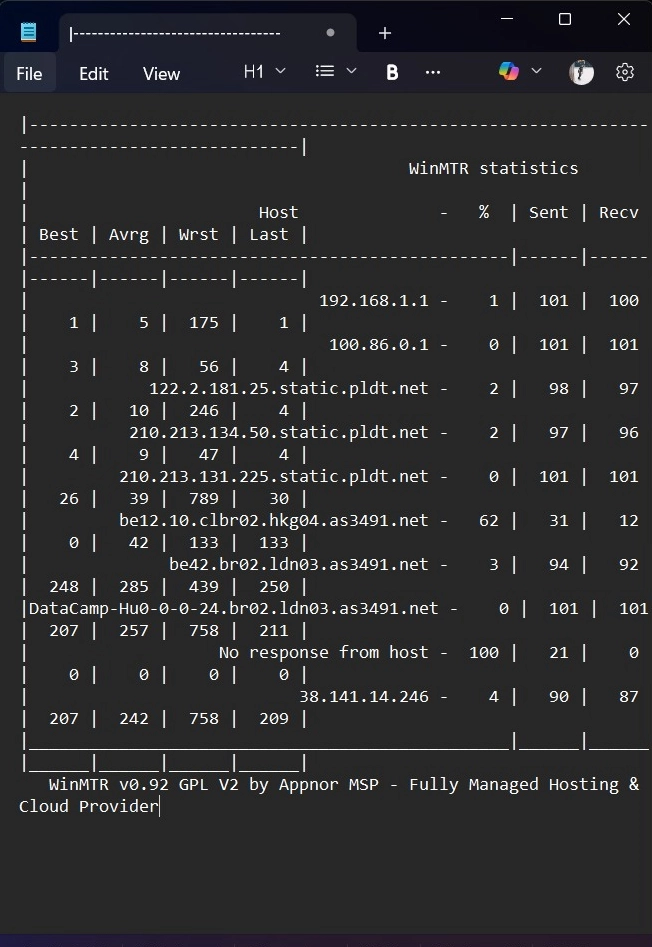
In this tutorial, we will show you how to run an MTR report in your Windows PC
Running a MyTraceRoute (MTR) report is useful because it combines the functions of ping and traceroute to give a clearer picture of how network traffic flows between your computer and a target server.
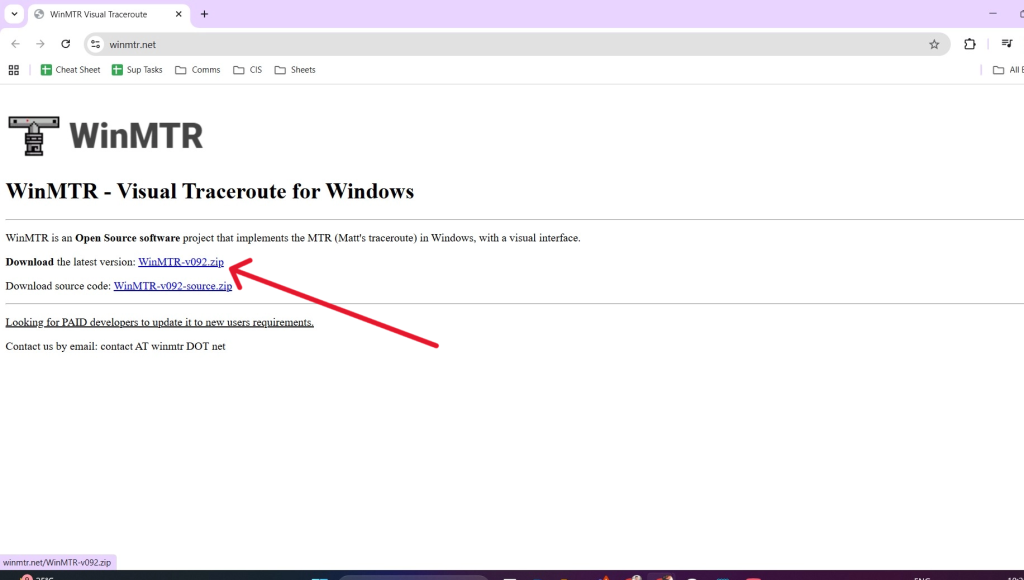
1. In your local PC, open your internet browser and go to http://winmtr.net
2. Download and Install the zip file WinMTR-v092.zip
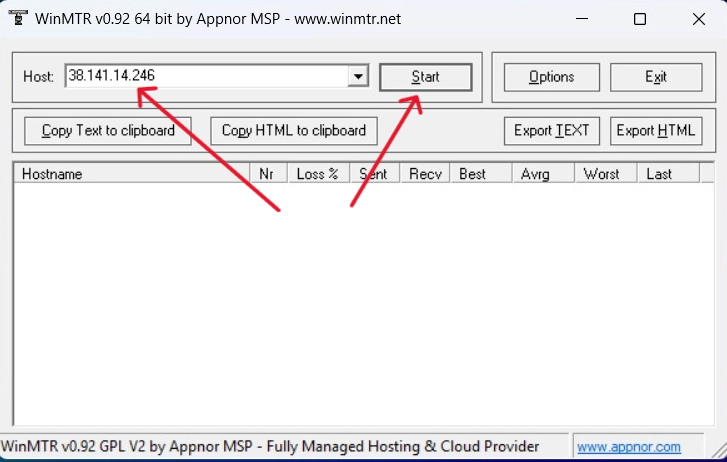
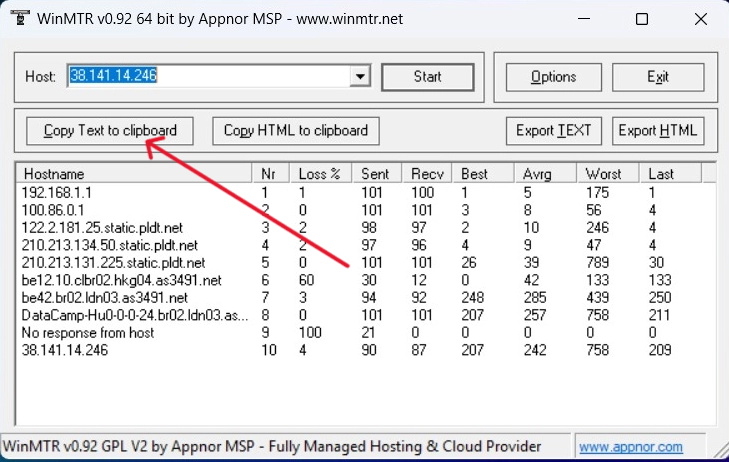
3. Input your VPS IP in the Host then click Start
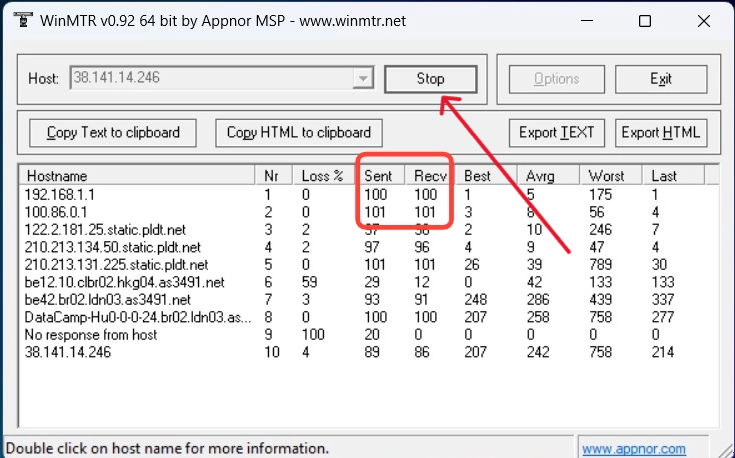
4. Click Stop when the Sent and Receive reaches 100
5. Click Copy Text to clipboard
6. Open notepad and paste the results
7. Save the notepad file and send it back to us at support@fxvm.net